
Barco search

myBarco notifications

Unread

Read

You don't have any notifications.

[Fixed] ClickShare Configurator is not accessible on web-browsers

Article number: [4522] - Legacy code: [12589]

Applicable to

Issue

When accessing the ClickShare Configurator on your computer with your web-browser (e.g. Google Chrome, Microsoft Edge, etc...), it throws an error message stating that Your connection is not private.
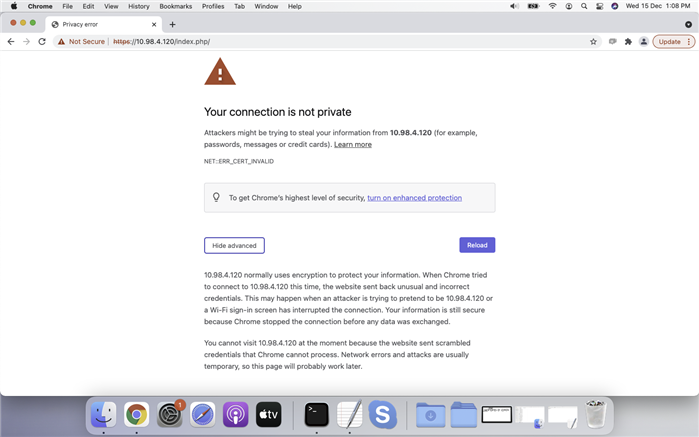

Example: Your connection is not private

Solution

Make sure your ClickShare device has been updated with their following firmware versions:

  • CX-/C-Series: Version 2.11 or higher
  • CS(E)-Series: Version 1.11.8.1 or higher

In that case, you can bypass this message by clicking the Advanced button.

Note:

  • See KB13401 for instructions on how to check the firmware version currently installed on your ClickShare device.
  • See KB5923 for instructions on how to manually update the firmware on your ClickShare device using USB stick

Properties

Last updated Feb 2, 2026

No solution found?

Phone support

Our helpdesk provides you with prompt phone support. A team of experienced support engineers is at your service for any professional assistance.