
ClickShare Buttons are categorized into five generations: Gen 2, Gen 3, Gen 4, Gen 4.1, and Gen 5.
Generations 2 through 4.1 are USB 2.0 devices, while Gen 5.0 is a USB 3.1 device. Gen 2 features USB Type-A connectivity, Gen 3 supports both USB Type-A and USB Type-C, and Gen 4, Gen 4.1, and Gen 5 use USB Type-C connectivity.
ClickShare Base Unit–Button Generation Compatibility Matrix
Each generation of Buttons is compatible with specific Base Unit models. It is recommended to use only the ClickShare Buttons that were delivered with your Base Unit or are compatible. You can identify your Button by its physical design or by checking the model number/part number printed on the back. For details, click here.
Note: If you have trouble identifying your ClickShare Base Unit model, refer to KB2865 for various identification methods, including using the part number.
Gen 5 Button for Hub Core & Hub Pro | |||
| Base Unit models name & part numbers | Button model & part numbers | ||
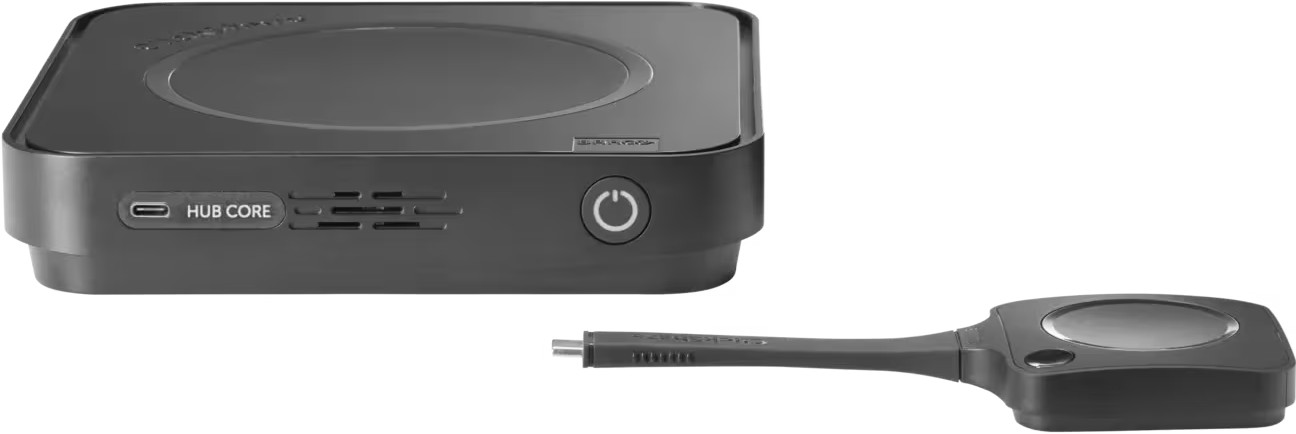 | Hub Core: R9861711xxB1 | 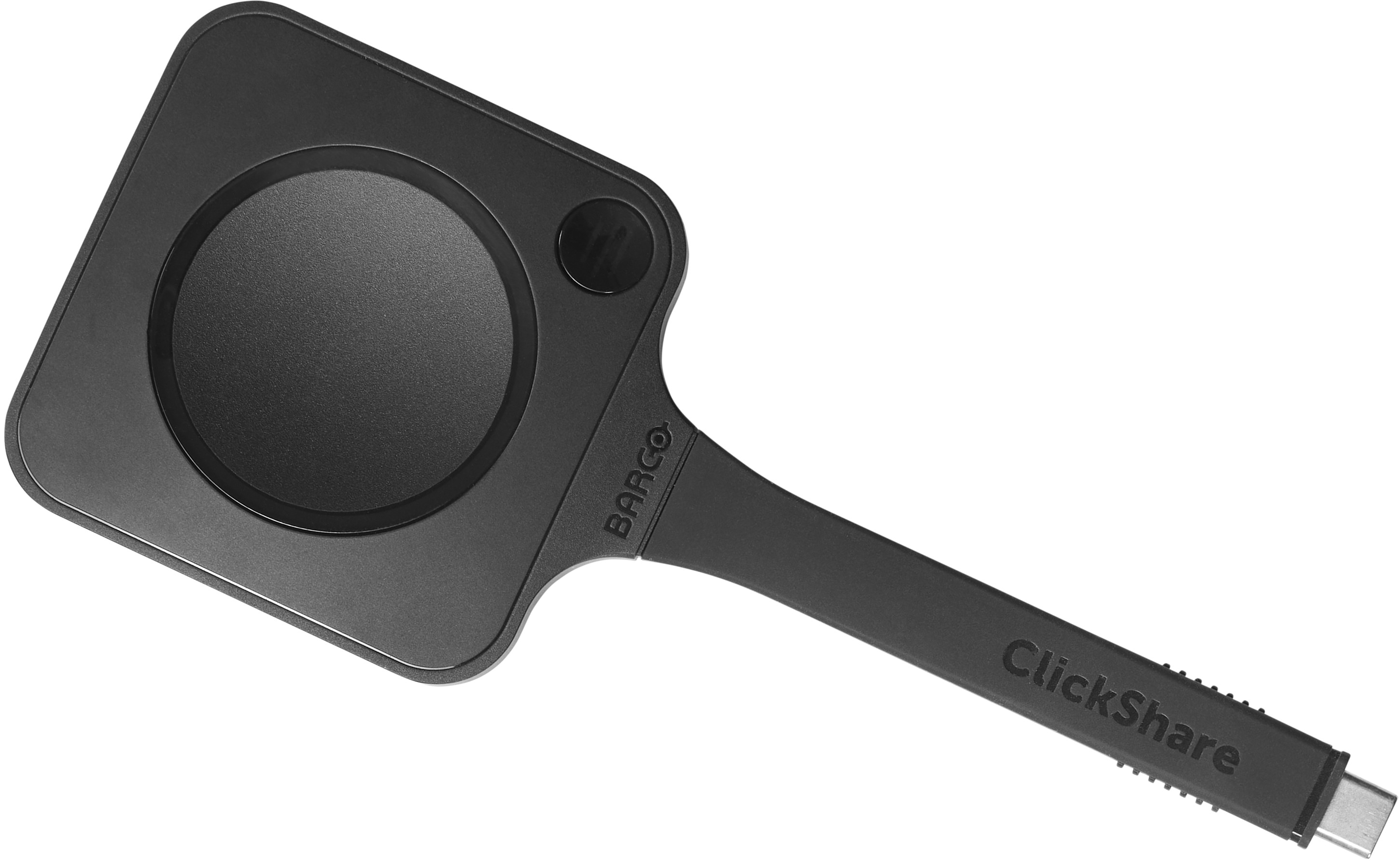 | Gen 5: CSBTN005 R9861700D01C R9861700D01CUS |
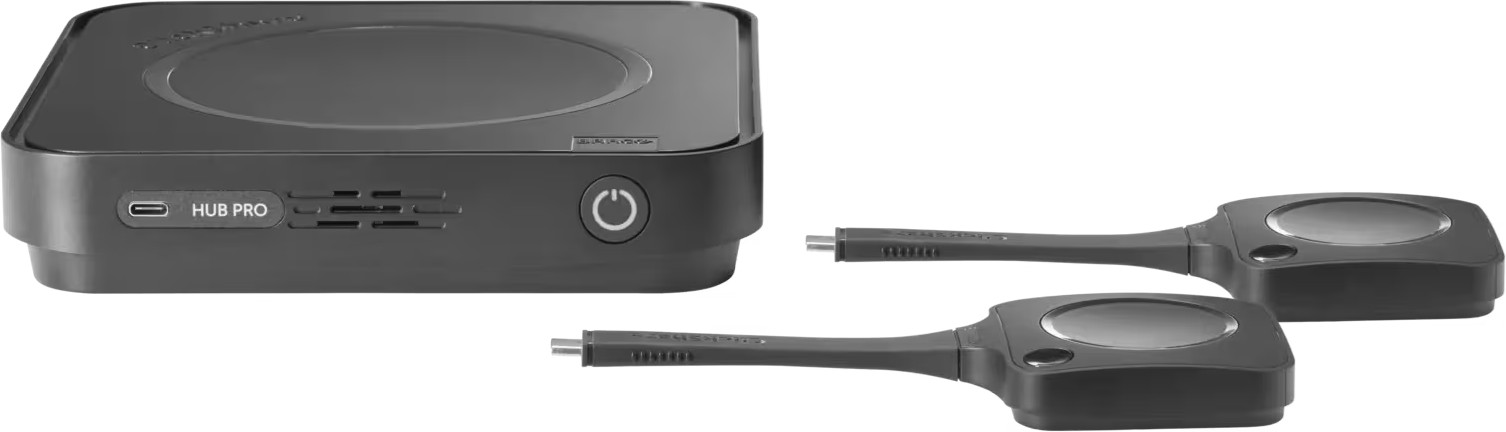 | Hub Pro: R9861710xxB2 | ||
| xx stands for the regions (CN, EU, NA, RW, US and ZH) | |||
Gen 4.0/4.1 Button for CX-/C-/CB-series | |||
| Base Unit models name & part numbers | Button model & part numbers | ||
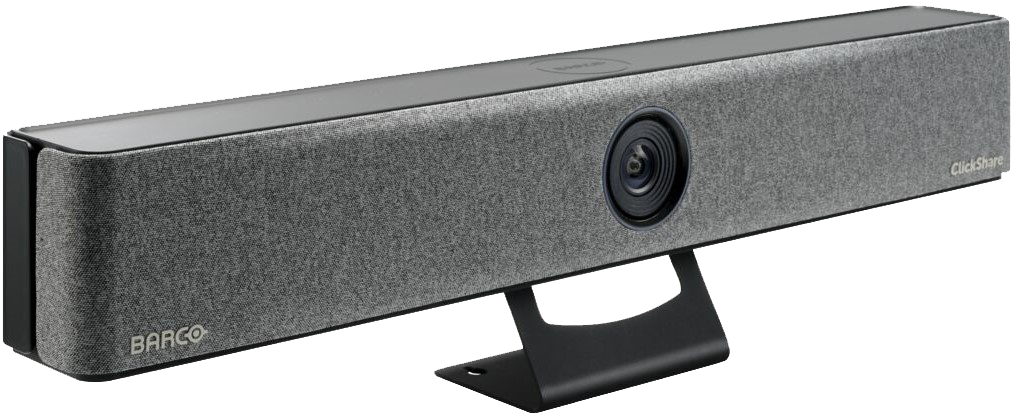 | Bar Core: R9861632xxB1 Bar Pro: R9861633xxB2 | 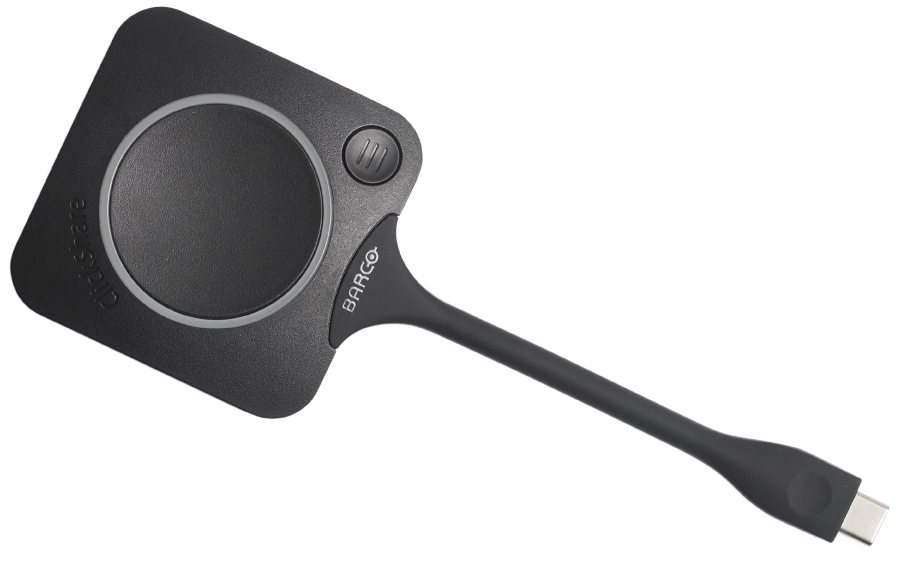 | Gen 4.1: CSBTN004 |
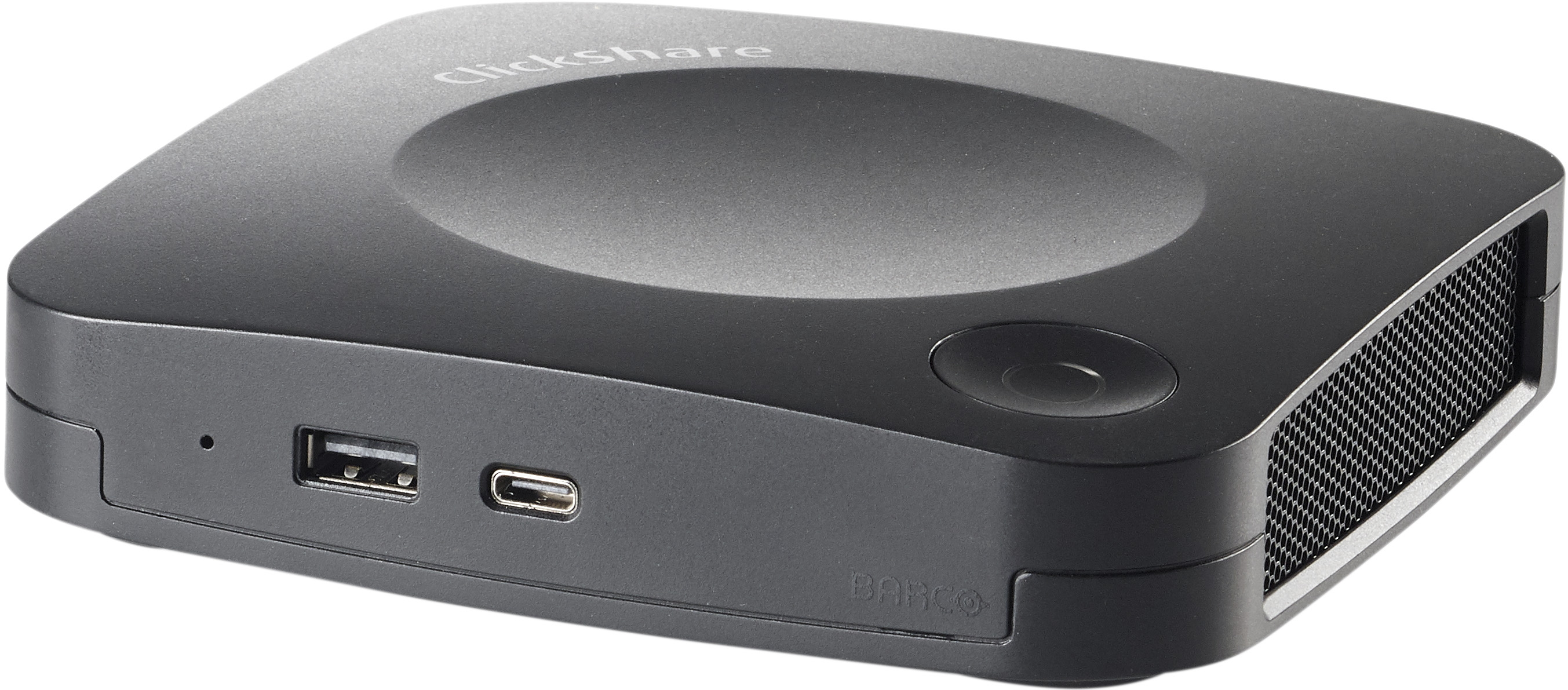 | C-5: R9861505xx C-10: R9861511xx CX-20: R9861512xx CX-30: R9861513xx | Gen 4.1: CSBTN004 Gen 4: R9861600D01C R9861600D01CUS R9861600P01C R9861600P01CUS | |
| C-5 Gen2: R9861605xx C-10 Gen2: R9861611xxB1 R9861611xxB2 CX-20 Gen2: R9861612xxB1 CX-30 Gen2: R9861613xxB2 | |||
 | CX-50 Gen1: R9861522xx | ||
 | CX-50 Gen2: R9861622xxB2 | ||
| xx stands for the regions (CN, EU, NA, RW, US and ZH) For Gen 4.1 Buttons to function correctly with CX-20, CX-30, CX-50 (Gen2), and C-5/C-10 Base Units, the Base Unit must be operating on firmware version 2.12.0.12 or higher. For details, see KB5644. | |||
Gen 3.0 Button for CS(E)-series | |||
| Base Unit models name & part numbers | Button part numbers | ||
 | CS-100: R9861510xx | 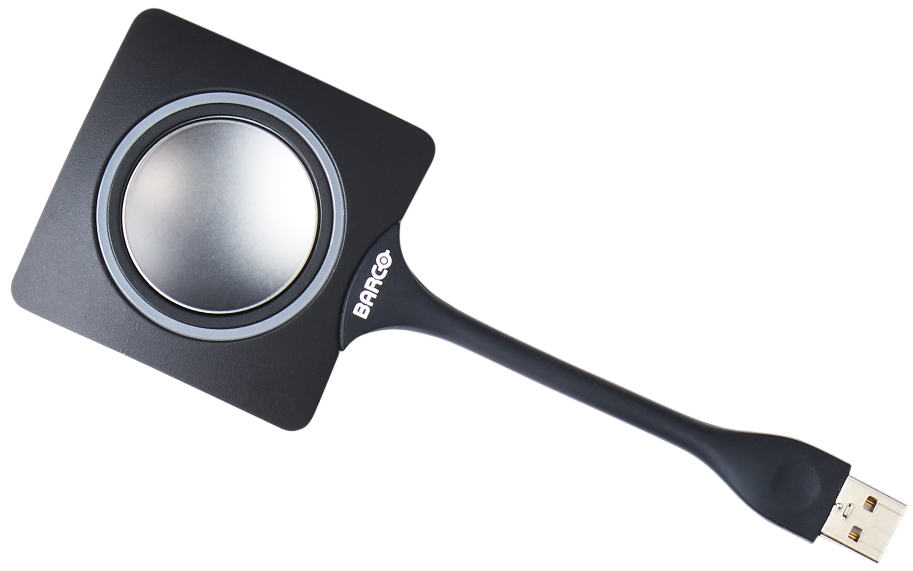 | Gen 3: R9861500D01 (USB Type-A) R9861500D01C (USB Type-C) |
| CS-100 Huddle: R9861510Hxx | |||
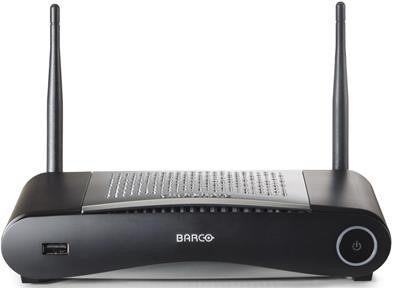 | CSE-200: R9861520xx | ||
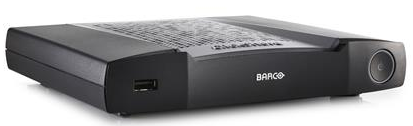 | CSE-200+: R9861521xx | ||
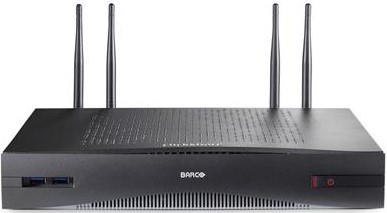 | CSE-800: R9861580xx | ||
| xx stands for the regions (CN, EU, NA, RW, US and ZH) Since the release of ClickShare CS(E) firmware version 1.8, it is no longer possible to use Gen 2 Buttons with CS(E)-series Base Units and Gen 3 Buttons with CSM-1 and CSC-1 Base Units, as compatibility between these Base Units and Button generations has been disabled. For details, see KB3649. | |||
Gen 2.0 Button for CSM-1 & CSC-1 | |||
| Base Unit models name & part numbers | Button part numbers | ||
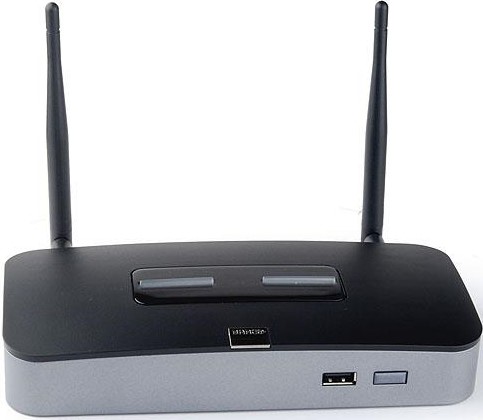 | CSM-1: R9861008CN R9861008NA R9861017EU | 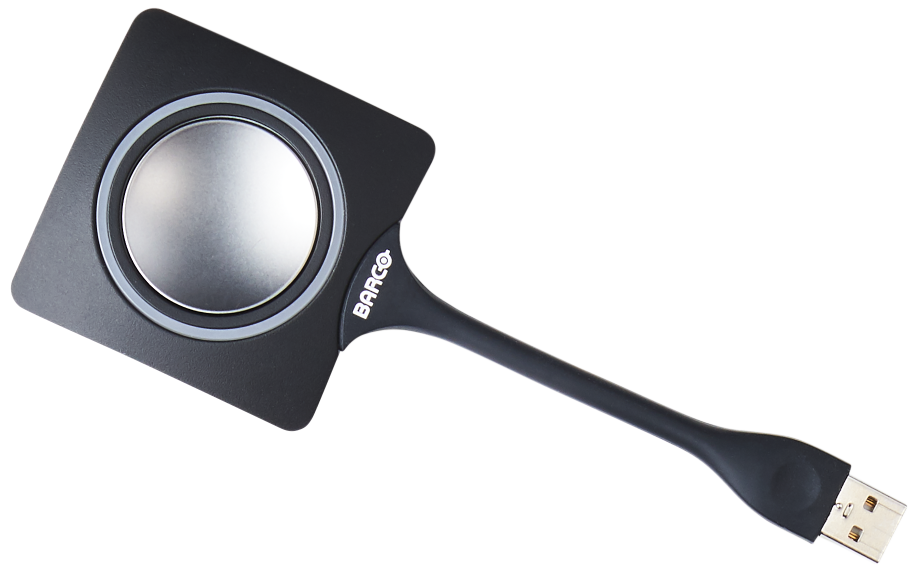 | Gen 2: R9861006D01 |
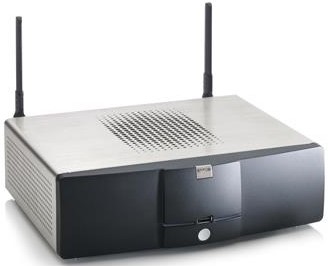 | CSC-1: R9861005xx R9861006Bxx | ||
| xx stands for the regions (CN, EU, NA, RW, US and ZH) Since the release of ClickShare CS(E) firmware version 1.8, it is no longer possible to use Gen 2 Buttons with CS(E)-series Base Units and Gen 3 Buttons with CSM-1 and CSC-1 Base Units, as compatibility between these Base Units and Button generations has been disabled. For details, see KB3649. | |||
Button model identification
Gen 5 Button
- Unique design compared to all previous generations - features flat-thick tail
- Identified by model number on the back
- Extra Quick Button at the top
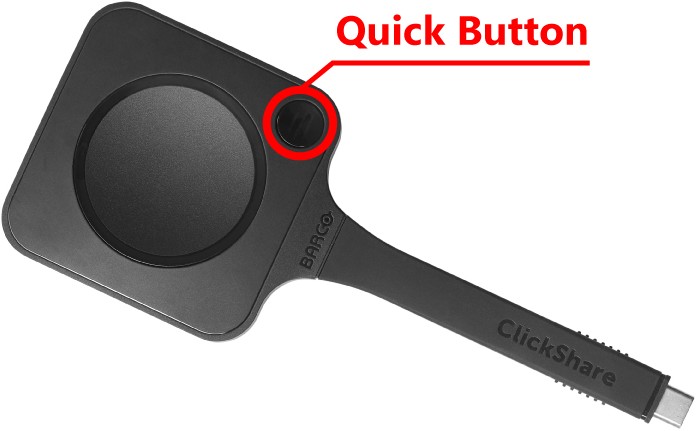
Physical design
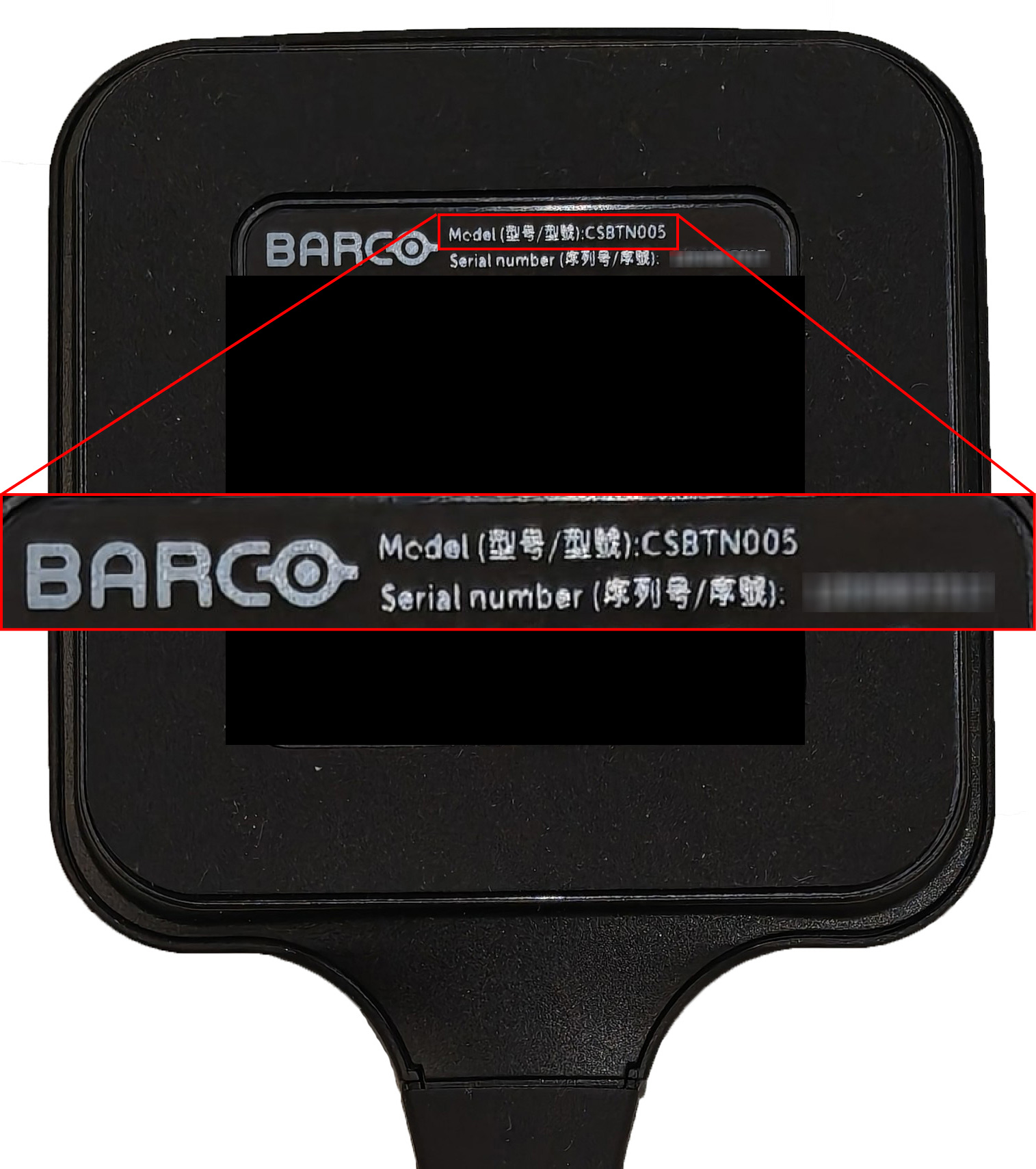
Gen 5: CSBTN005. VID: 0x0600, PID: 0x0185, 0x0186, 0x01B5
Gen 4 & Gen 4.1 Buttons
- Same physical design
- Identified by model number and part number on the back
- Extra Quick Button at the top
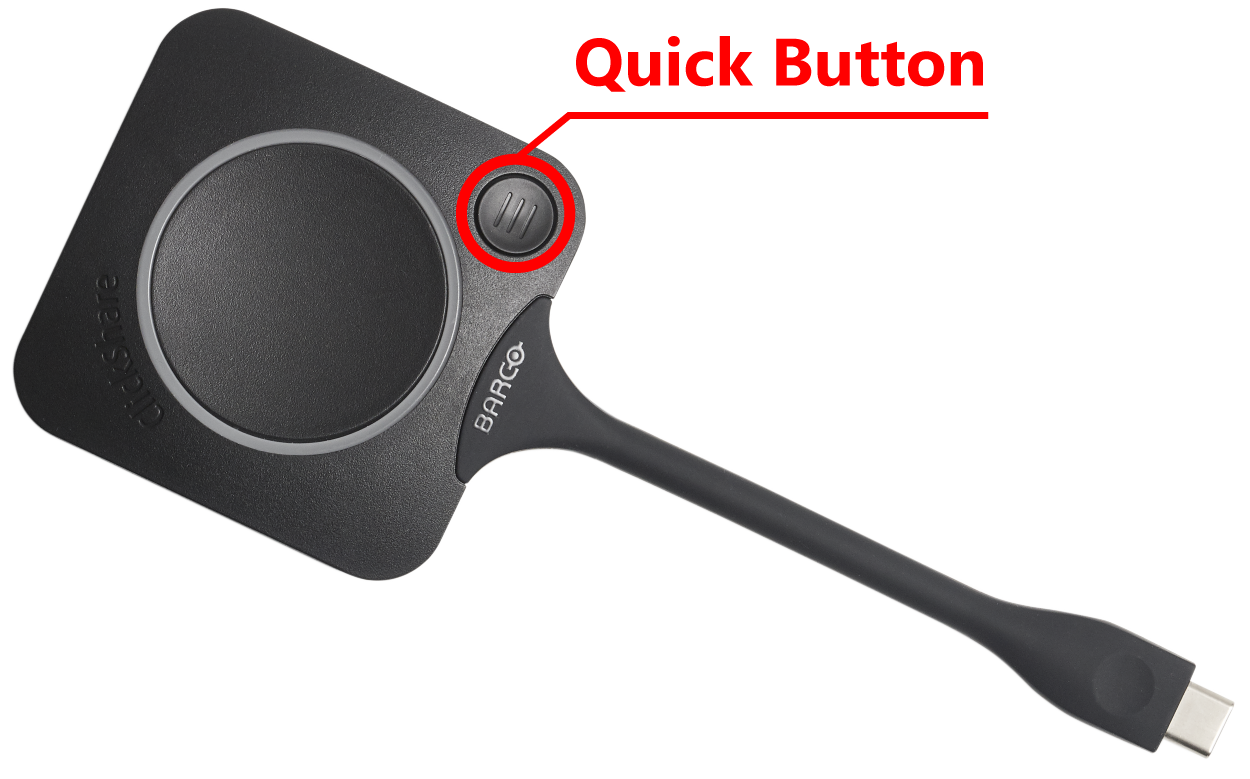
Physical design
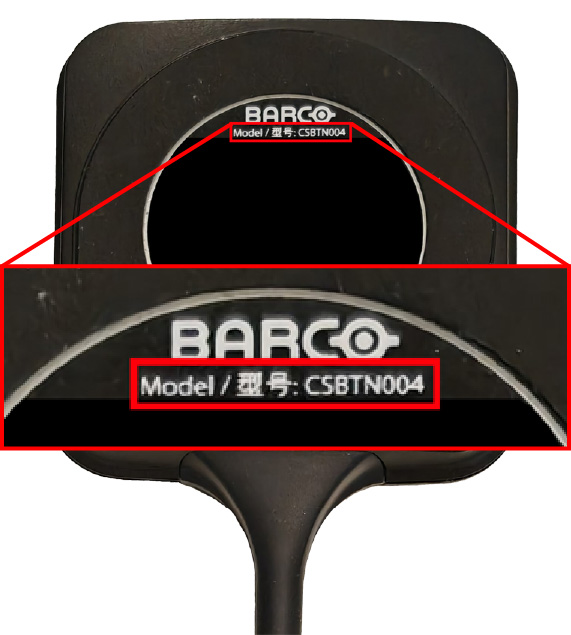
Gen 4.1: CSBTN004
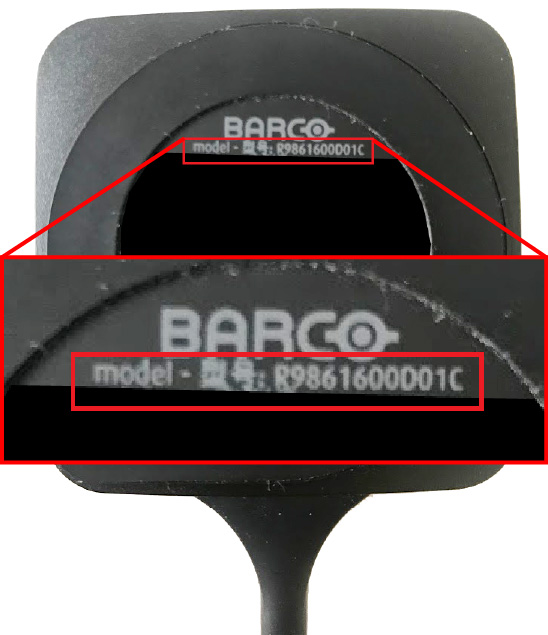
Gen 4: R9861600D01C(US) & R9861600P01C(US). VID: 0600, PID: 00CE
Gen 2 & Gen 3 Buttons
- Same physical design
- Identified by part number on the back
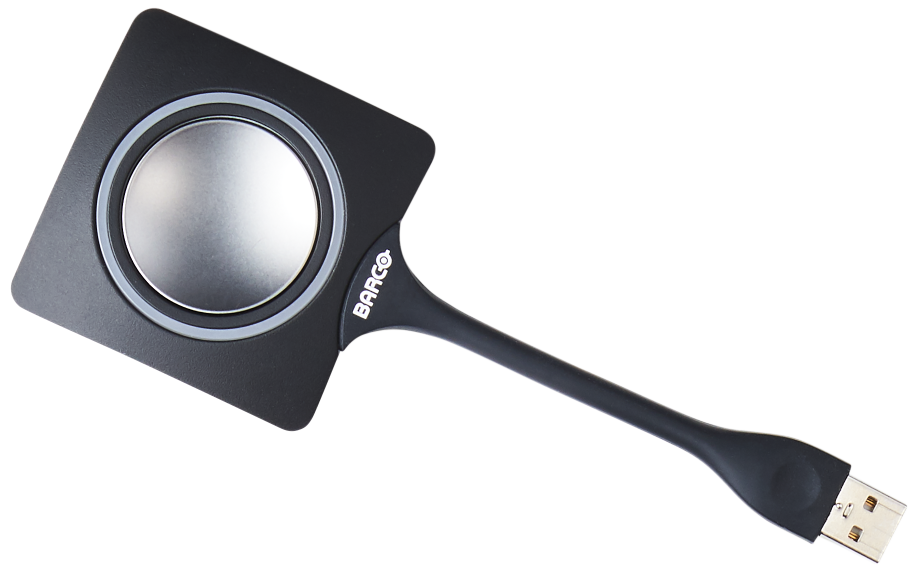
Physical design
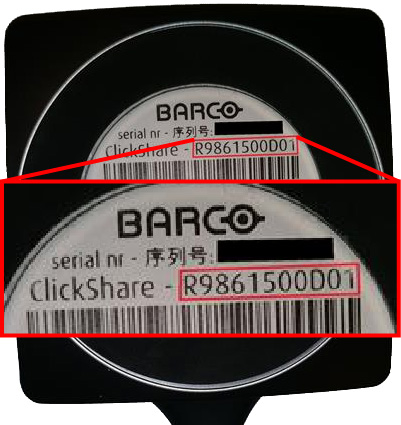
Gen 3: R9861500D01 & R9861500D01C. VID: 0600, PID: 009f
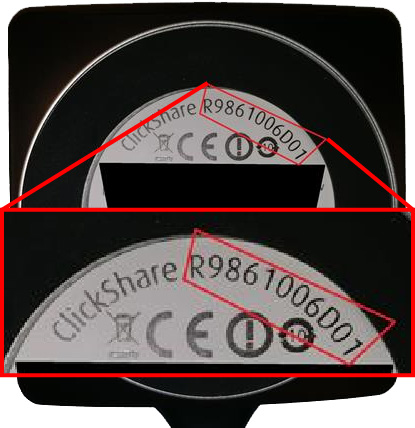
Gen 2: R9861006D01. VID: 0600, PID: 0070
Related Articles
- How to identify your ClickShare Base Unit model
- Where and how can I find the Serial Number for my ClickShare Device?
- ClickShare new button Base Unit dependency
- Second generation Buttons will no longer work with the ClickShare CS(E) models after installation of the 1.8 firmware
- Can I use the ClickShare Conferencing Button "Gen 4.0" and "Gen 4.1" with CS(E)-series models?
- What are the characteristics of different ClickShare Buttons?
- Is ClickShare Button compatible with a USB 3.0 port?

