Overview
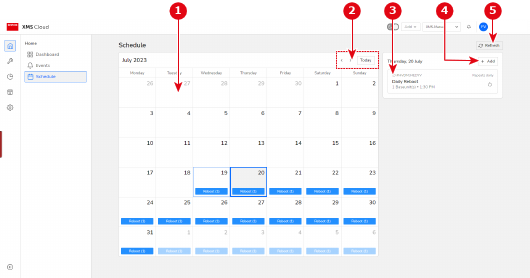
- 1
- Overview of calendar with all scheduled jobs (if any)
- 2
- Month selector and “force to today” button
- 3
- Scheduled job preview
- 4
- Add new Job button
- 5
- Refresh button

The scheduled jobs preview are shown in a color based on the state of the event. For more information about the meaning of the colors, refer to the following list: