K5905271NL /30 |
Display Controller en Intuitive Workflow-tools
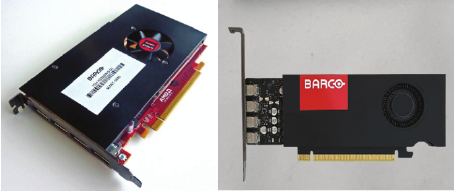
Gebruikershandleiding
- Windows 10 en Windows 11
- 1 Welkom!
- 2 Display Controller installatie
- 3 Installatie stuurprogramma en software
- 4 Barco beeldschermen configureren in Windows
- 5 Stuurprogramma en Intuitive Workflow-tools
- 5.1 Versie-informatie van de Intuitive Workflow-tools
- 5.2 Barco configuratiescherm voor systeeminstelling
- 5.3 Application Appearance Manager
- 5.4 Conference CloneView™
- 5.5 DimView™
- 5.6 Film Clip
- 5.7 FindCursor™
- 5.8 FocalPath
- 5.9 I-Luminate™
- 5.10 Leesomgeving
- 5.11 Schermopname
- 5.12 SingleViewTM
- 5.13 Beeldscherm verdeler
- 5.14 SmartCursor™
- 5.15 SoftGlow™
- 5.16 SpotView™
- 5.17 Multi-Display Confer
- 5.18 Plug-in
- 5.19 Touchpad Gebarenbediening
- 5.20 VirtualView™
- 6 Belangrijke informatie


Barco NV
Beneluxpark 21, 8500 Kortrijk, België
Fabrikant: Barco NV
President Kennedypark 35, 8500 Kortrijk, België